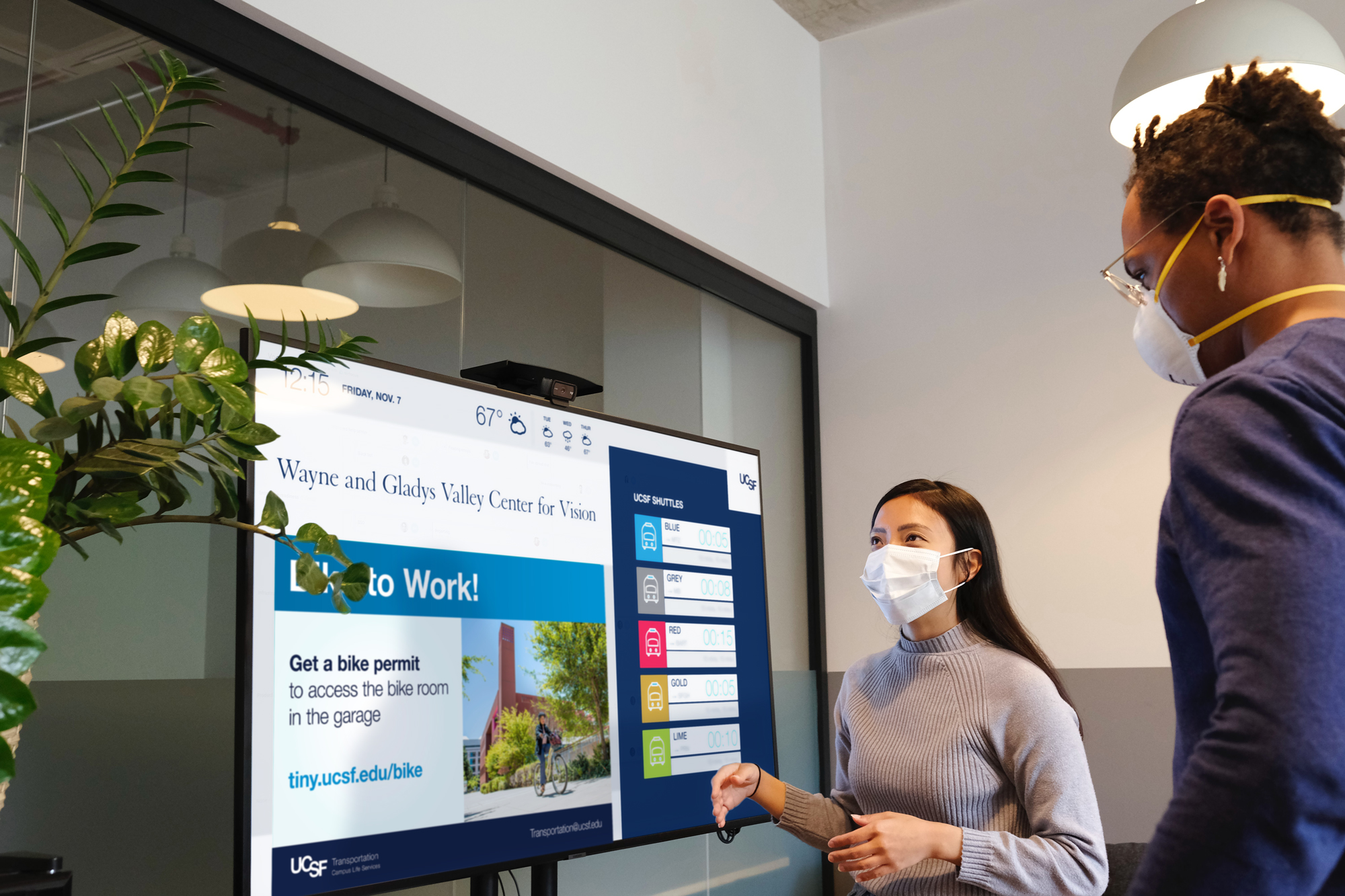
Digital ad postings in UCSF common area digital signs are open to UCSF-sponsored events and programs. Ad requests are reviewed for alignment with UCSF Brand Identity guidelines and the UCSF PRIDE Values. Follow the below instructions to prepare and submit an ad for distribution.
Prepare a Digital Ad/Announcement
Please note new requirements that took effect on May 1, 2026.
Specifications
Design your ad within the UCSF Brand Identity guidelines and according to this specification:
4.5 wide x 3 high aspect ratio 2400 x 1600 pixels at 96 dpi JPEG format
NEW! Maximum Word Count
Digital ad content is now limited to 40 words (fewer is encouraged). Since each ad is shown for just 8 seconds, this helps improve the viewer experience. Consider adding a short, memorable tiny URL for more info. Ads exceeding 40 words will be returned for revision.
Include a department name or contact in the design so that ownership of the message is visible.
NEW! Requirement for Event Announcements
If you are promoting an event, digital sign ads are required to include this statement, customized with your event-specific contact information:
For any reasonable accommodations, contact [name of event coordinator] by emailing [contact of event coordinator] as soon as possible.
This statement is included in the word count total limit of 40 words. For more information about this requirement see the UCSF Office of Disability Access and Inclusion’s Toolkit for Planning Accessible Events at UCSF.
For design services, consider engaging the Documents & Media Design Studio.
How to Save Your Artwork in PowerPoint
- Download a digital sign PowerPoint template.
- Create your ad using the template.
- In the menu, select “Export.” Choose the JPEG file type and enter the size: 2400 width and 1600 height.
Submit an Ad
There is currently no fee for UCSF community members to post in our digital sign network. E-mail your ad to digital.signage@ucsf.edu two weeks prior to your posting date. In the e-mail, include:
- Posting start date
- Posting end date
- NEW! Posting location(s) – You now have the option to distribute your digital ad in a more targeted way and restrict your posting by campus or by building.
- The easiest approach is to specify “Mission Bay Locations” or “Parnassus Heights Locations” or “All locations” in your request.
- If you prefer to restrict your posting to specific buildings, you can. Please identify the building(s) you’d like to post at from the list of locations below. Please be consistent with the building names, as listed below, to prevent confusion.
Ad posting FAQs
I’m submitting a digital ad for posting in the campus network. How long can I have it posted?
The maximum duration for posting an ad is 3 months. To optimize visibility and keep digital sign content fresh, this is the maximum duration. If you have evergreen content (content that stays relevant over a long period of time) you are required to freshen the design of your ad (color, images, headline) and submit a different version. If you would like to submit multiple versions of your ad in advance to run consecutively, that is welcome up to a 3-month duration.
How many digital ads can I distribute?
To ensure visibility for a wide range of campus events, programs, and services, departments are asked to limit the number of digital ads in the common area digital signs to a maximum of 4 at a time.
Campus Digital Sign Network Locations
Parnassus Heights
Clinical Sciences Building Floor 1 - Floors 2-7 temporarily unavailable
Medical Sciences Building Lobby
Millberry Union, Food Court - Temporarily unavailable
Millberry Union, Office of Diversity and Outreach
Mission Bay/East Campuses
499 Illinois Street
654 Minnesota Street Reception
2001 The Embarcadero
Genentech Hall, Entrance Lobbies
Genentech Hall, Café 24
Mission Center Building Lobby
Mission Hall Lobby
Office of Opportunity and Outreach
Pride Hall at ZSFG
Wayne and Gladys Valley Center for Vision Tower
Weill Institute Town Centers, Levels 3-6
William J. Rutter Center, 4th Floor Office
William J. Rutter Center, Atrium
Ad Development Resources
UCSF has an array of resources to support effective ad creation. Explore these resources:
Documents & Media Design Studio
Would you like assistance in developing ads or a suite of templates that you maintain, with your UCSF department branding? It’s easy to request a department branded suite of templates that you can simply manage in PowerPoint or the layout application of your choice. Documents & Media is a cost-effective design resource that can assist you to efficiently meet campus brand and digital sign technical requirements.
UCSF Brand Identity
Before designing an ad, get to know the campus’s guidelines and logo requirements for managing the UCSF brand.
UCSF Digital Signage Templates
University Relations provides digital sign templates in a variety of themes and colors editable in PowerPoint. The templates contain specific instructions for exporting your file to meet current technical requirements of the digital sign network.